A coding agent can follow a skill exactly and still get an unclear assignment.
The description may be too vague to explain when the skill belongs in a task. The procedure may ask for a command without limiting its output. An older copy may carry instructions that no longer match the version you use elsewhere.
Those are problems in the instructions you give the agent. They deserve a review of their own.
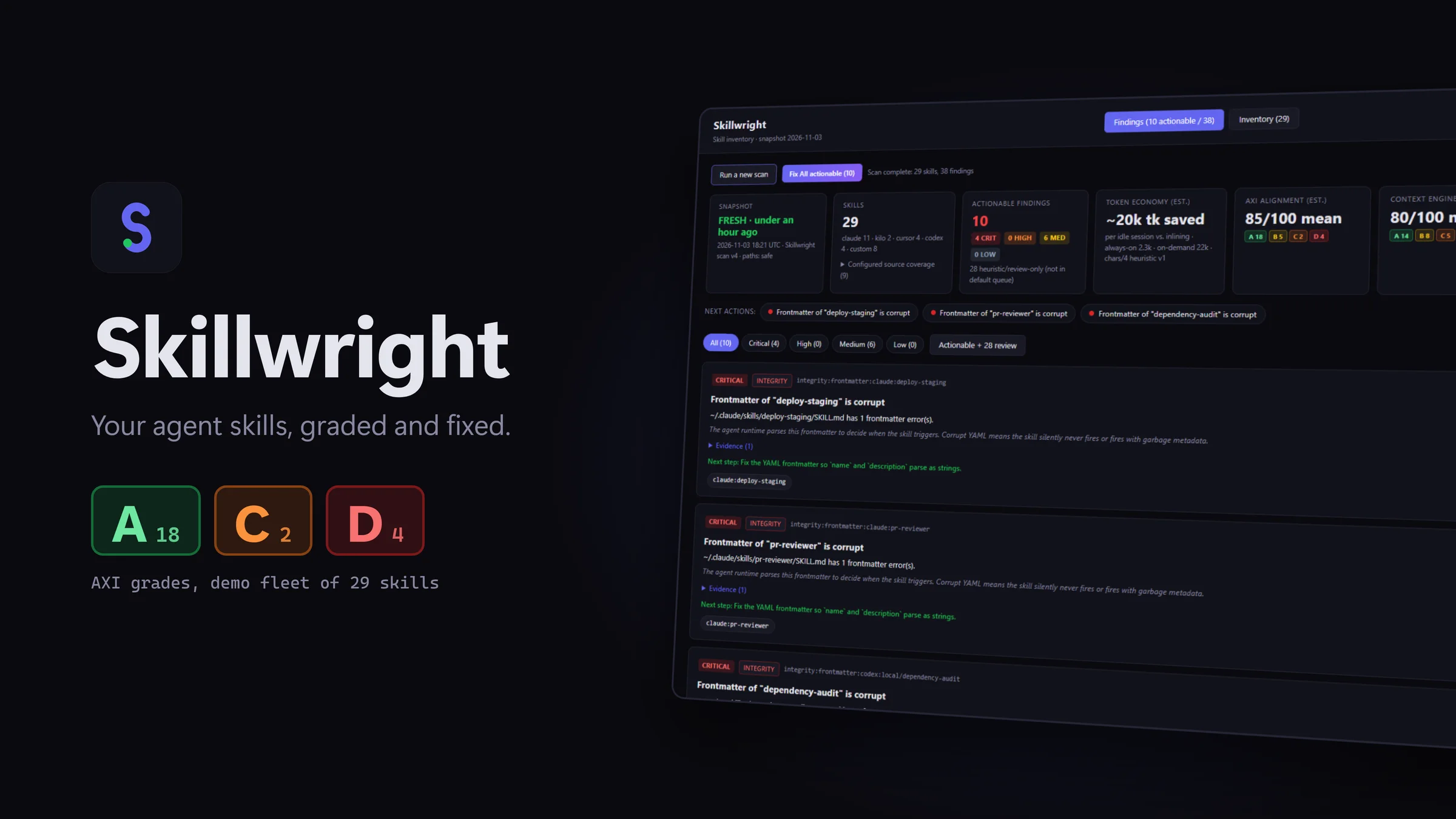
Skillwright gives that review a starting point. It is a Windows desktop app that scans AI-agent skill files on your machine, explains what it finds, and generates concrete fix prompts you can take back to your coding agent.
The small files behind a larger workflow
An agent skill packages instructions and supporting resources around a SKILL.md file. The Agent Skills documentation describes a process of progressive disclosure: names and descriptions help an agent discover relevant skills, and fuller instructions load when needed.
That puts two kinds of writing under pressure. The description has to explain when a skill is useful. The body has to give the agent enough direction to complete the work without filling context with unnecessary material.
A skill that reads well to its author can still leave practical questions unanswered:
- What task should trigger this skill?
- What work falls outside its scope?
- How much command output should the agent collect?
- What evidence tells it the work is complete?
- What should the final result look like?
As a skill library grows, reviewing those questions file by file becomes another maintenance task. Skillwright brings the findings into one view.
See what needs attention, with evidence
Skillwright detects skill folders for Claude Code, Codex, Cursor, and Kilo Code. You can also select a custom folder containing SKILL.md files.
It checks for issues such as malformed frontmatter, missing descriptions, and duplicate skill names. It also examines how instructions describe triggers, scope, procedures, and output boundaries.
Each skill receives separate A–D grades for AXI alignment and context engineering. AXI alignment examines metadata, trigger descriptions, the always-on surface, and progressive disclosure. Context engineering examines how the body handles context, including bounded output, procedures, exit criteria, and output format.
The useful part is the evidence behind a grade. You can inspect the criterion, read the finding, and decide whether the suggested change fits your workflow.
These grades are explicit heuristics. They are not an objective measure of skill quality, a security certification, or a prediction of how every agent will behave.
Turn a finding into an edit you can review
A report is more useful when it helps you take the next step.
For concrete findings, Skillwright produces template-based fix prompts. Copy a prompt into your coding agent, review the proposed edit, apply the changes you want, and scan again.
For example, a finding about output boundaries gives you a specific issue to address in a skill that invokes a command. You can ask your agent to revise that instruction, then check that the new limit still gives the workflow enough information to finish.
The editing decision stays with you. Skillwright does not automatically rewrite your skills, and suggestions are labeled separately from findings that receive fix prompts.
Make context overhead visible
Skillwright also shows estimates for description and body token counts, including the always-on cost of the skill list.
That gives you a practical way to review where information belongs. A short description can identify the task. Detailed instructions can explain the procedure. Reference files can hold material that is only needed in particular cases.
The estimates use characters divided by four. Treat them as a comparison aid, not exact model billing counts or a promise of lower costs. Removing text is useful only when the remaining instructions still explain the work.
Local analysis, with clear boundaries
Skill files may contain internal procedures or project details. Skillwright reads and analyzes them locally. It makes no language-model calls and does not upload the files for analysis. The app requires no account and has no telemetry.
Microsoft Store uses the network to check the trial or purchase license. If you choose to send a support request, the app sends your entered message and the displayed app/device details, with a request reference and product identifier. It does not attach skill files, paths, or scan results. The privacy policy explains these boundaries.
Start with one skill you already use
You do not need to rebuild your library to try a more deliberate review process.
Start with a skill you use regularly. Run a scan, inspect the evidence, and choose one finding worth fixing. Take its prompt to your coding agent, review the edit, and rescan. Then test the revised skill in the workflow it is meant to support.
The scan can identify instruction problems. Your workflow supplies the final test of whether the revised instructions help.
Skillwright is available for Windows with a 7-day free trial and a one-time purchase at a $19.99 USD reference price. There is no subscription. Microsoft Store determines the final regional price, currency, taxes, and purchase terms. After the trial, scanning requires purchase; existing reports remain readable.
Start your 7-day free trial on Microsoft Store, or watch the product demo.
Give the instructions behind your next session a review of their own.