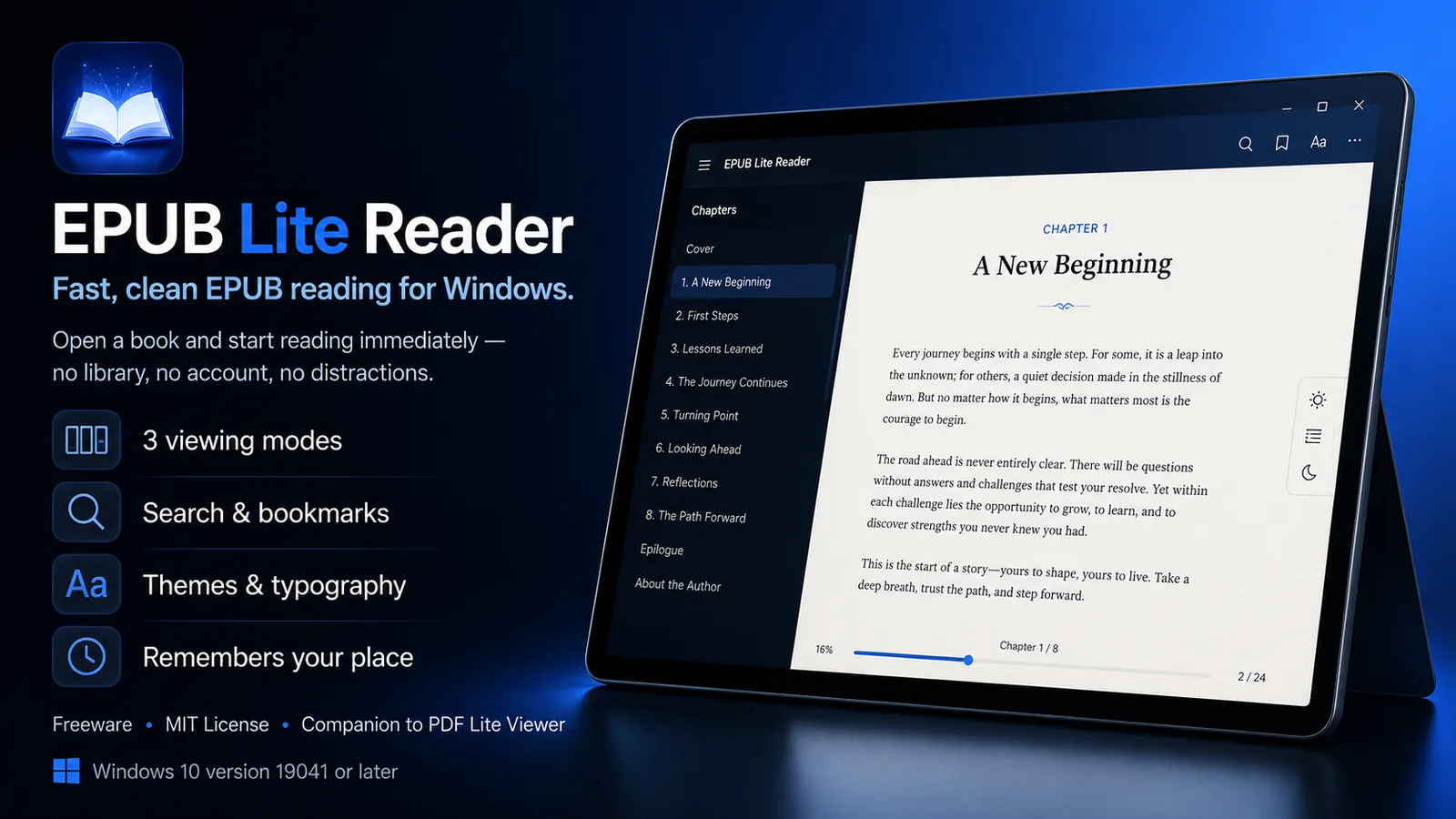
Sometimes you do not need a library manager, an online account, or another complicated reading platform. You simply want to open an EPUB file and start reading.
That is exactly what EPUB Lite Reader was built to do.
Green Yoga Inc. is pleased to announce the official Microsoft Store release of EPUB Lite Reader, a free, lightweight Windows application for people who want a straightforward way to open and read EPUB e-books, without installing a large, complicated reading platform.
A simpler approach to EPUB software
Many modern e-reader applications have grown into full library-management platforms. They ask for an account, sync a cloud library, track reading statistics, and layer on features far beyond what most readers actually need just to get through a book.
Those features can be useful in the right situation. But they are not required every time someone wants to read an EPUB file.
Green Yoga Inc. created EPUB Lite Reader for readers who want a more focused option: a lightweight EPUB reader for Windows that opens a file and gets out of the way. Double-click an .epub file, or drag one onto the window, and start reading. No sign-up, no cloud library, no distractions.
Everything you need to read, nothing you don't
EPUB Lite Reader is a free, lightweight Windows application featuring:
- Single-page, facing-page, and continuous-scroll reading modes
- Light, sepia, and dark themes
- Adjustable fonts, text size, line spacing, and margins
- Chapter navigation, full-book search, and bookmarks
- Mouse and keyboard page navigation
- Automatic local saving of your reading position and settings
- Drag-and-drop opening and Windows
.epubfile association - No account, cloud library, or distractions
The viewing modes give readers flexibility without adding unnecessary complexity. Choose single-page or facing-page layout for a book-like feel, or continuous scroll if you prefer moving through a chapter without page breaks. Light, sepia, and dark themes, along with adjustable fonts, text size, line spacing, and margins, let you set up a reading view that is comfortable for your eyes and your device.
Built with safety in mind
EPUB files can contain embedded scripts and links, which is a real concern for an application that opens files from anywhere — downloads, email attachments, or shared libraries. EPUB Lite Reader addresses this directly: scripts contained in EPUB files are stripped, and external network navigation is blocked. Your reading position, bookmarks, and settings remain stored locally on your computer — nothing is uploaded to a cloud account you didn't ask for.
Why lightweight matters
A smaller, more focused application can make everyday reading feel easier. There are fewer controls competing for attention, fewer settings to work through, and less interface clutter between you and the page.
That matters when you are:
- Reading a novel or short story collection
- Working through course material or a technical reference in EPUB format
- Reviewing a manuscript or advance reader copy
- Catching up on a public-domain classic
- Reading documentation or a guide distributed as an e-book
- Opening an EPUB attachment from email
For casual readers, a distraction-free interface keeps the focus on the book. For students and professionals, it means opening a reference EPUB without learning a full library-management application first.
Built with modern, open technology
EPUB Lite Reader is built with WPF, .NET 10, VersOne.Epub, and WebView2. It is freeware, released by Green Yoga Inc under the MIT License, and is also the new companion to PDF Lite Viewer — Green Yoga Inc.'s lightweight PDF viewer for Windows.
How to get started
Getting started with EPUB Lite Reader takes only a few steps:
- Open the EPUB Lite Reader page in the Microsoft Store.
- Select Get or Install.
- Launch EPUB Lite Reader from Windows.
- Open a book — by drag-and-drop, file association, or the app's open dialog — and start reading.
Because EPUB Lite Reader is distributed through the Microsoft Store, users can install it through a familiar Windows channel and keep the application managed alongside their other Store apps.
Download EPUB Lite Reader
EPUB Lite Reader is now officially available as a Microsoft Store EPUB reader for Windows.
Get EPUB Lite Reader from the Microsoft Store
Microsoft Store product ID: 9N2L3FKHCV5G
Developers and interested users can also explore the project on GitHub:
View EPUB Lite Reader on GitHub
Built for practical reading
EPUB Lite Reader is for readers who do not need a full library-management platform every time they open a book. It provides a clean way to read, navigate, and personalize EPUB files on Windows, with a free installation through the Microsoft Store.
Green Yoga Inc. is committed to building practical, accessible, and user-focused software. EPUB Lite Reader reflects that commitment by keeping the experience clear, useful, and focused on what readers actually need: open a book and start reading.
Frequently asked questions
What is EPUB Lite Reader?
EPUB Lite Reader is an EPUB e-book reader for Windows. It lets users open, read, navigate, search, and bookmark EPUB books through a simple interface, with light, sepia, and dark themes and adjustable fonts and layout.
Is EPUB Lite Reader free?
Yes. EPUB Lite Reader is available at no cost through the Microsoft Store.
Where can I download EPUB Lite Reader?
You can download it from the EPUB Lite Reader Microsoft Store page. The product ID is 9N2L3FKHCV5G.
What features does EPUB Lite Reader include?
EPUB Lite Reader supports single-page, facing-page, and continuous-scroll reading modes, light/sepia/dark themes, adjustable fonts and layout, chapter navigation, full-book search, bookmarks, and automatic local saving of your reading position and settings.
Is EPUB Lite Reader safe to open EPUB files from unknown sources?
EPUB Lite Reader strips scripts contained in EPUB files and blocks external network navigation, so opening a file does not let it execute code or reach out to the internet. Your reading position, bookmarks, and settings stay stored locally on your computer.
Does EPUB Lite Reader require an account or cloud library?
No. EPUB Lite Reader has no account, cloud library, or sync requirement. It reads local EPUB files and saves your settings on your own device.